
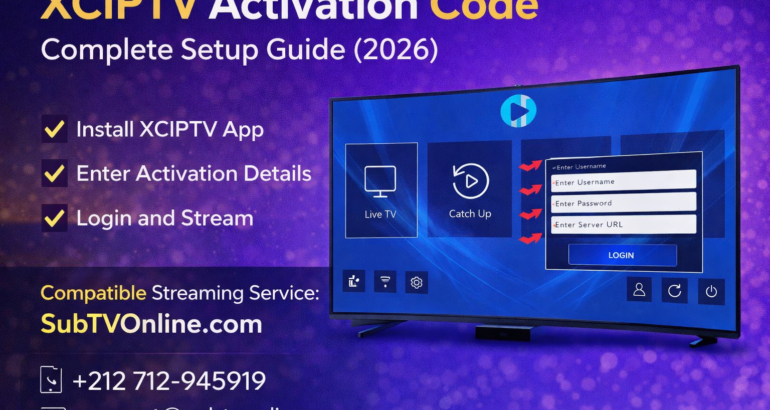
If you are searching for XCIPTV activation code, you’re likely trying to set up the XCIPTV player on your device. In this complete guide, we explain how XCIPTV activation works, where to get your activation details, and how to configure the app properly.
Whether you’re using Android TV, Firestick, or a TV Box, this guide will help you activate XCIPTV safely and correctly.
What Is XCIPTV?
XCIPTV is a popular IPTV media player application. It does not provide channels or content by itself. Instead, it allows users to connect their subscription details from a streaming provider.
XCIPTV supports:
Xtream Codes API login
M3U playlist login
EPG integration
VOD and live TV sections
Android devices and Smart TVs
The app is simply a player — you need valid subscription credentials to activate it.
What Is an XCIPTV Activation Code?
Many users search for “XCIPTV activation code,” but technically, XCIPTV does not use a universal public activation code.
Instead, activation works through:
Username
Password
Server URL (Xtream Codes API)
These credentials are provided by your IPTV service provider after you subscribe.
There is no free public activation code available. Each account is unique.
How to Activate XCIPTV (Step-by-Step)
Follow these steps to activate XCIPTV properly:
Step 1: Install XCIPTV
You can install XCIPTV from:
Google Play Store (Android TV / Mobile)
Amazon App Store (if available)
Official APK source
Make sure you download the official version.
Step 2: Open the App
When you open XCIPTV for the first time, you will see login options.
Choose:
Login with Xtream Codes API (recommended)
Step 3: Enter Your Subscription Details
You will need:
Username
Password
Server URL
These are provided by your streaming provider after purchase.
Once entered correctly, click Login.
The app will load:
Live TV channels
Movies
Series
EPG (Electronic Program Guide)
Why Is XCIPTV Not Activating?
If you are having trouble with your XCIPTV activation code, here are common reasons:
❌ Incorrect login details
Double-check spelling and capitalization.
❌ Expired subscription
Your provider may need to renew your account.
❌ Server URL error
Make sure the server address is entered exactly as provided.
❌ Internet connection problem
Ensure stable WiFi or Ethernet connection.
XCIPTV Activation Code vs Xtream Codes Login
Many users confuse the terms.
There is no generic “activation code” like on streaming apps such as Netflix.
Instead, XCIPTV uses:
Private login credentials
Account-based authentication
Provider server validation
If someone claims to provide a universal XCIPTV activation code, it is not legitimate.
Devices Compatible With XCIPTV
XCIPTV works on:
Android TV
TV Boxes
Firestick
Smartphones
Tablets
For best performance:
Minimum 20 Mbps for HD
30+ Mbps for 4K
Use Ethernet if possible
Where to Get Valid XCIPTV Login Details?
To activate XCIPTV, you must subscribe to a reliable streaming provider.
If you are looking for a professional IPTV-compatible service, visit:
🌐 https://subtvonline.com
🌐 https://subtvonline.fr
🌐 https://subtv.ca
🌐 https://atlasproabonment.fr
SubTVOnline provides compatible credentials for apps like XCIPTV, ensuring proper activation and smooth streaming.
XCIPTV Setup Support
If you need assistance with setup or activation, you can contact SubTV support:
📱 WhatsApp: https://wa.me/212712945919
📧 Email: support@subtvonline.com
Support can assist with:
XCIPTV login setup
Activation troubleshooting
Device compatibility
Subscription renewal
Frequently Asked Questions
Is there a free XCIPTV activation code?
No. XCIPTV requires valid subscription credentials from a provider.
Why does my XCIPTV say login failed?
Check your username, password, and server URL.
Does XCIPTV provide channels?
No. XCIPTV is only a media player.
Can I use XCIPTV on multiple devices?
That depends on your provider’s subscription policy.
Final Thoughts
Searching for an XCIPTV activation code usually means you need proper subscription credentials.
Remember:
XCIPTV does not offer public activation codes
You must receive login details from your provider
Always use official apps
Avoid suspicious “free code” offers
For compatible subscription details and setup support, visit:
🌐 https://subtvonline.com
📱 WhatsApp: https://wa.me/212712945919
📧 support@subtvonline.com

